
Pattern Fill Add-In
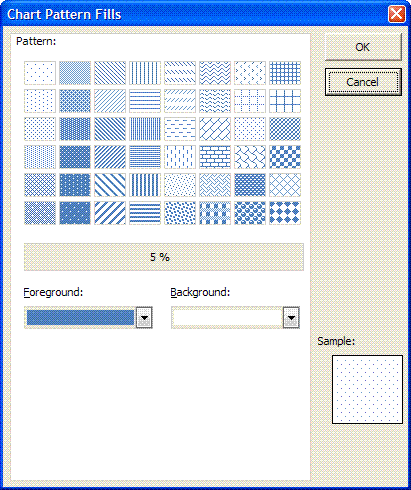
In xl2007 the chart feature of using pattern fills was deprecated.
For backward compatibility the functionality was included in the new charting engine. Only the interface to it was excluded.
This add-in provides the UI in order to use that functionality.
The add-in add a new group to the following contextual tabs, which appear when a chart is selected.
- Chart Tools, Layout
- Chart Tools, Format
- Drawing Tools, Format
- Pivot Chart Tools, Layout
- Pivot Chart Tools, Format

The dialog allows you to select Foreground and Background colours.
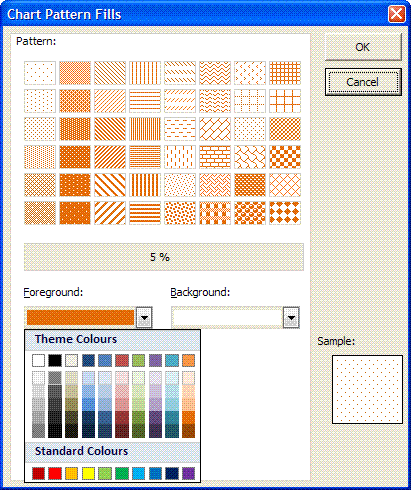
You can also select from the predefined patterns
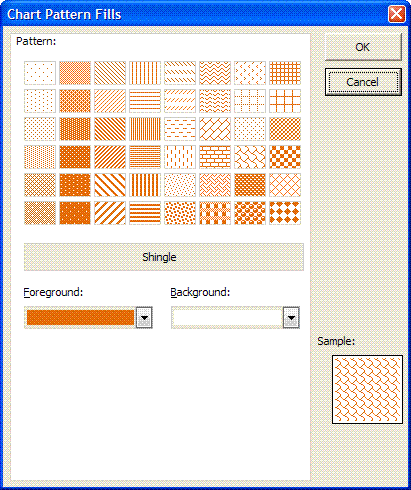
When completed the chosen pattern and colours are applied to the select chart element, if applicable.
Chart with normal formatting
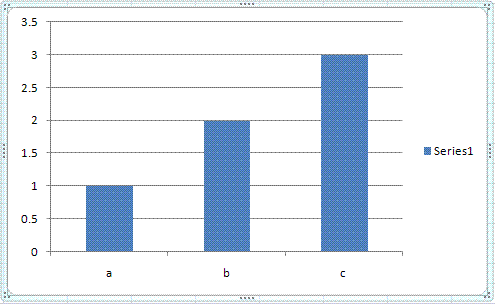
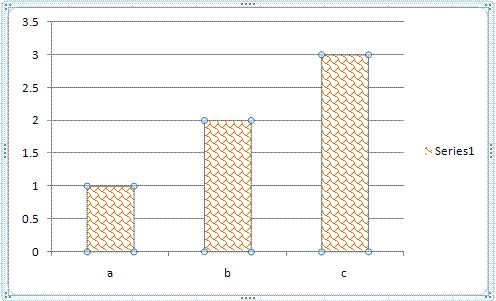
Chart with Shingle pattern applied.
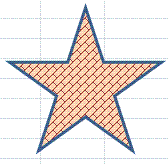
The add-in will now handle shapes as well.
The Pattern Fill button also appears on the Drawing Tools Format contextual tab when a shape is selected.
You can apply pattern fills to the following charting elements
- Chart Area
- Plot Area
- Data Series (any chart style that has fill capabilities)
- Data Point
- Data Labels
- Data Label
- Legend
- Chart Title
- Axis Titles

Note: Due to the fact that using VBA destroys the undo stack you will not be able to use undo to restore any changes made using the add-in.
- Revision v1.1 - Added code to pick up, where possible, Theme colours used in workbook.
- Revision v2.0 - Add-In now handles shapes.
- Revision v3.0 - Added Fills for Pivot Charts
- Revision v3.3 [4-Jul-2009]
- Recoded Selection detection routine to handle OM bug.
- Transparent shapes should now retain transparency.
- Revision v3.4 - Filling of Line shapes such as arrows, arc, curves and scribbles.
Instructions on how to install an add-in
To replace existing add-in with later version you simply need to overwrite the existing add-in. Make sure Excel is not running otherwise you will not be able to replace the file.