

Shape Adjustment in xl2007
Many autoshapes have additional adjustments that be made to then to alter their appearance.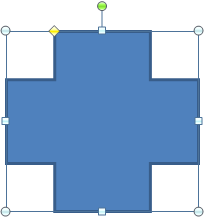
When a shape is selected in addition to the normal sizing handles, in white, the yellow adjustment handle(s) are displayed. You can click and drag one of the handles to alter the shape. When dragging a semi transparent view of the new shape is displayed.
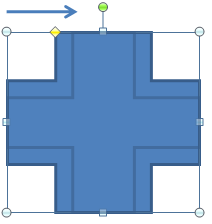 Here we are dragging the handle to the right and decreasing the crosses thickness.
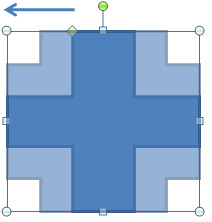 Here we are dragging the handle to the left and increasing the crosses thickness.
The number of adjustment handles is dependent upon the shape.
Here is an example of a shape with 3 adjustment handles
Here we are dragging the handle to the left and increasing the crosses thickness.
The number of adjustment handles is dependent upon the shape.
Here is an example of a shape with 3 adjustment handles
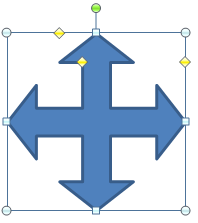
You can use VBA to alter the adjustment values of a shape.
ActiveSheet.Shapes("Cross 1").Adjustments(1) = 0.5
The value is usually a number in the range 0 to 1.
Although for some shapes, such as the trapezoid, the value is a ratio.
The download workbook contains a table of shapes and the number of adjustment they have.
It also has a sheet for each of the adjustments levels. On some I have used a user defined function to allow you to change the adjustment values for the shapes on the sheet via scroll bar controls.
Shape_adjustments
 (86kb)